STEP 01
Select an image or share directly
Open from Photos, Files, or the iOS Share Sheet.
Redact screenshots, sanitize photos, share PDFs safely

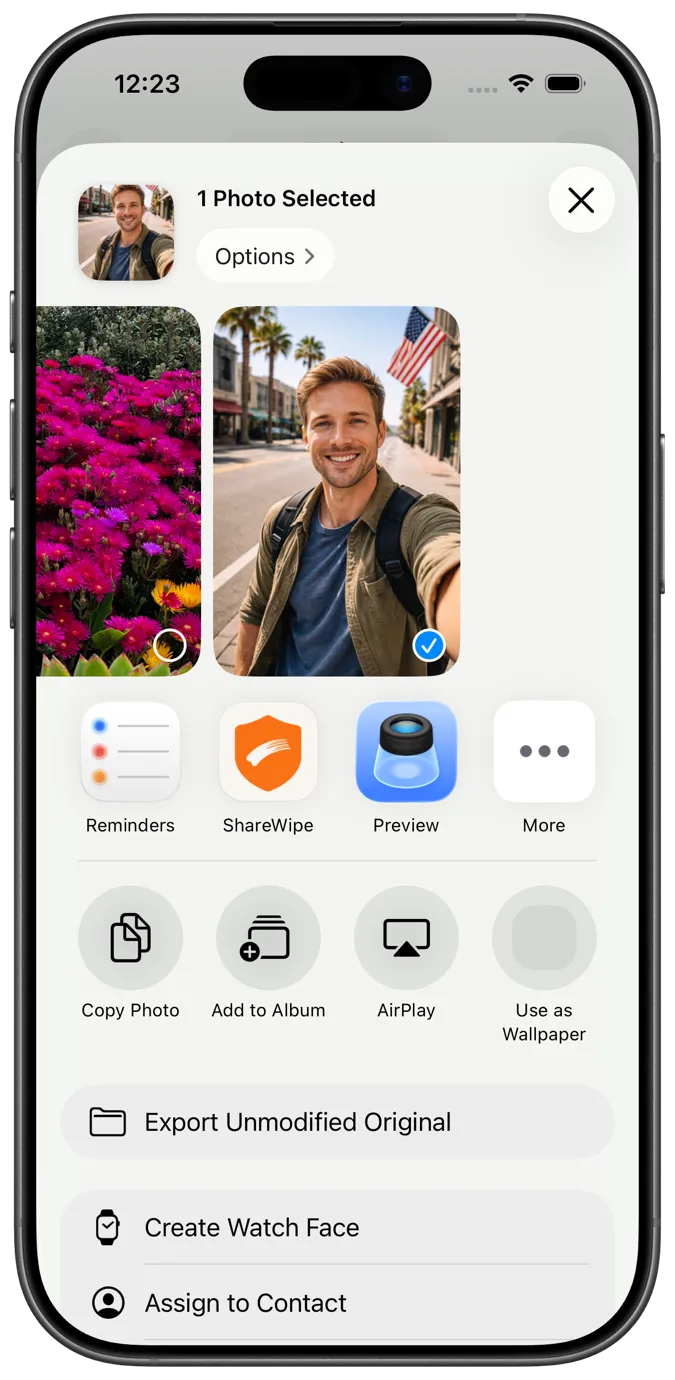
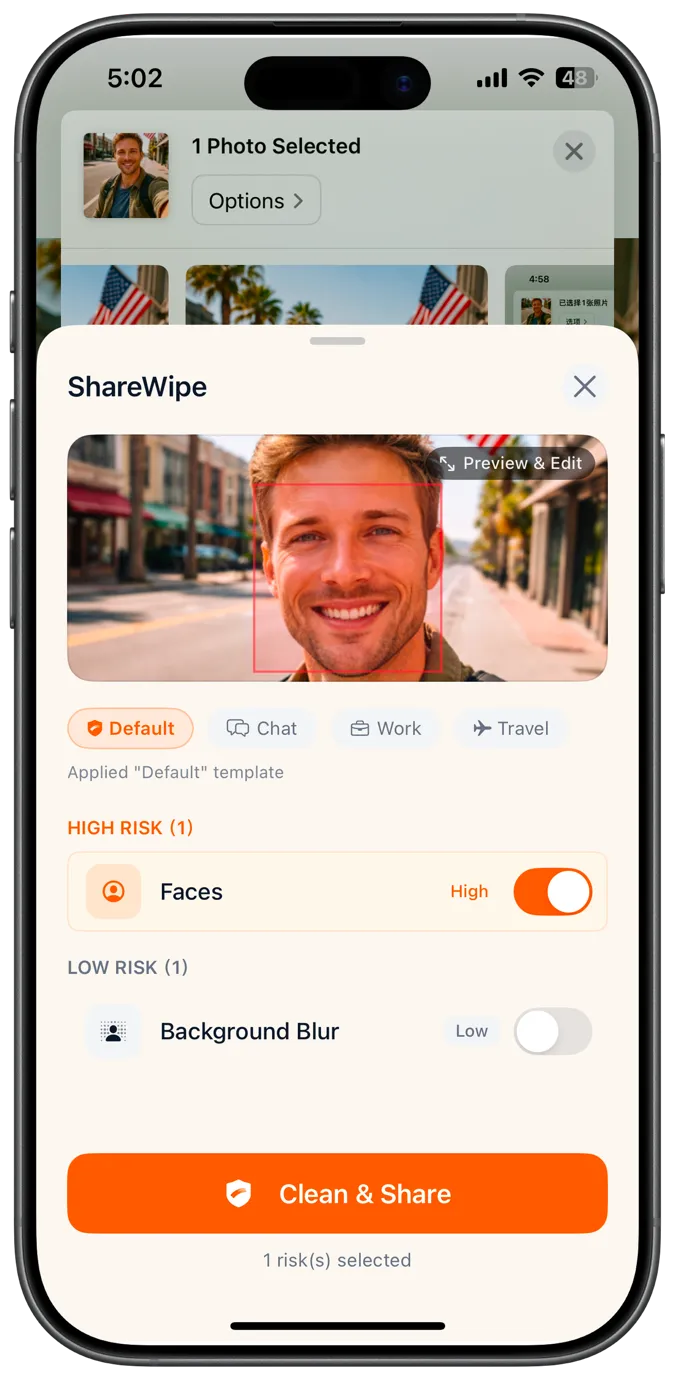
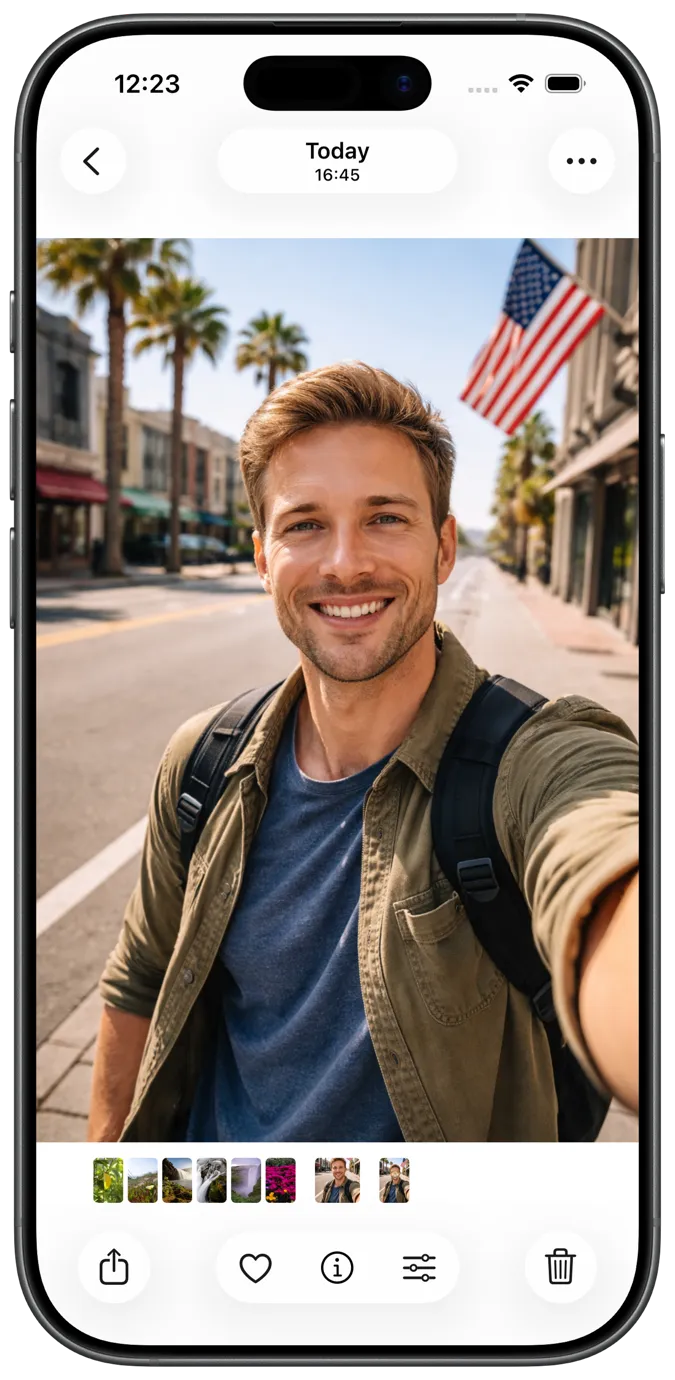
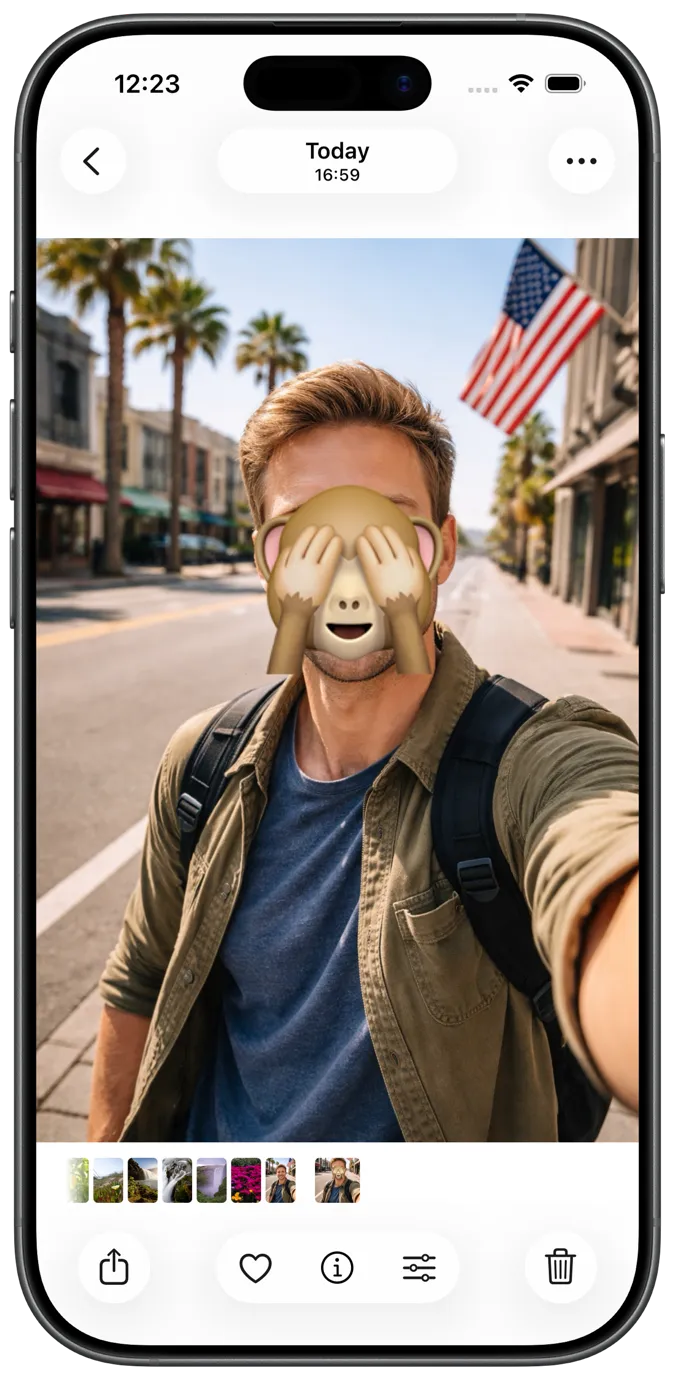
Most tools only let you draw a cover. ShareWipe detects risks first, lets you review each one, and exports a clean copy when you're ready
Easy-to-miss sensitive details get spotted and cleaned before you share.
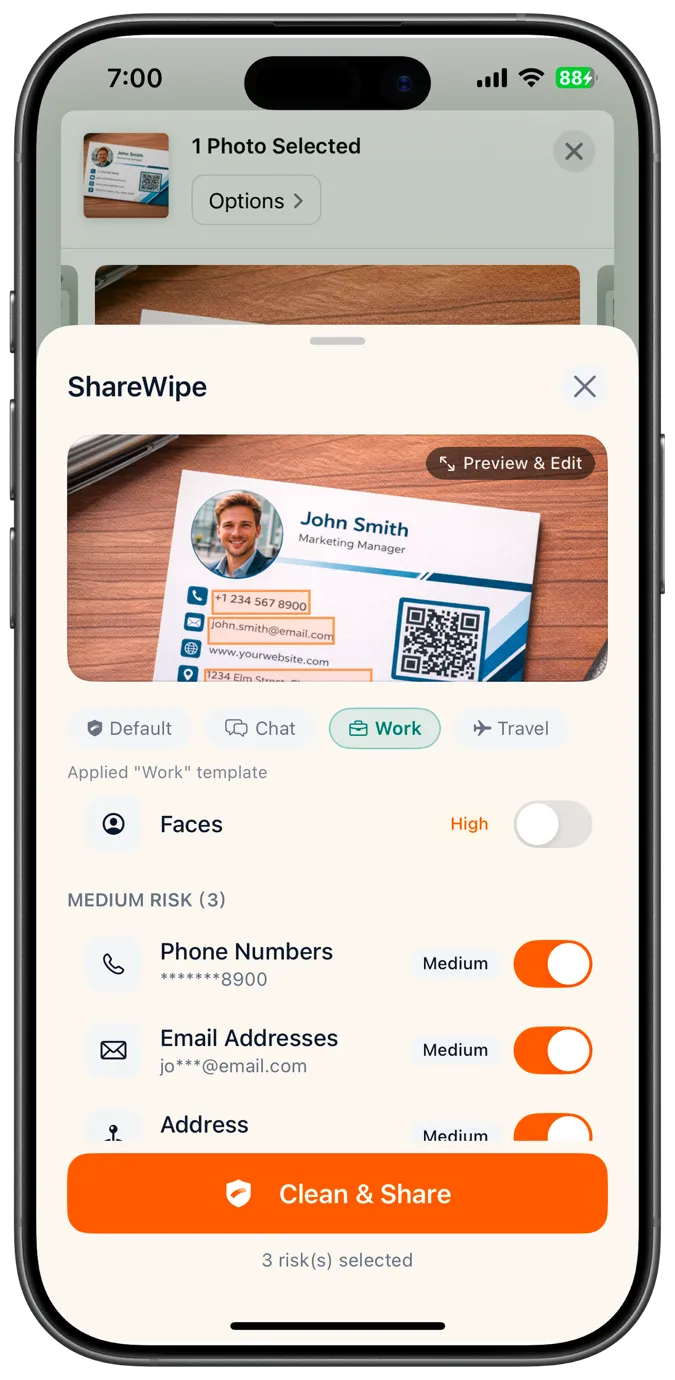
Sending without cleaning can still expose avatars, numbers, addresses, and more
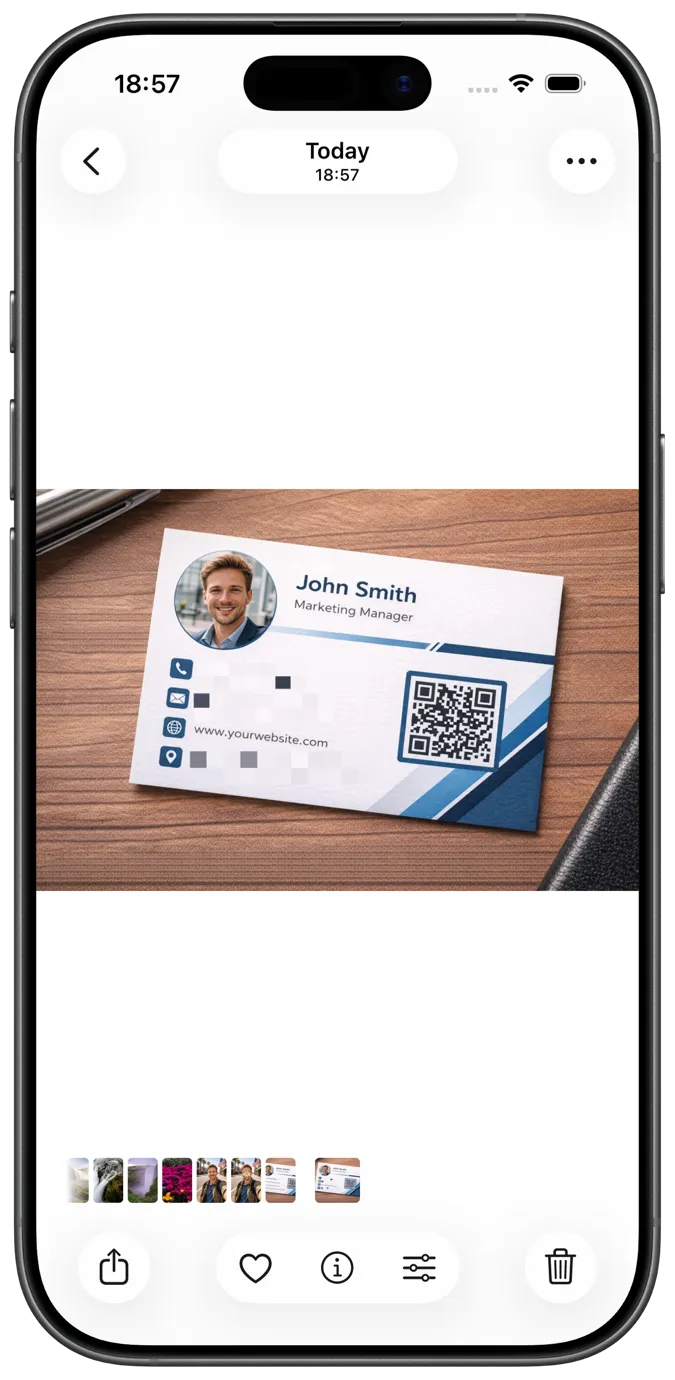
Keeps content readable while removing what shouldn't be seen
Instead of manually covering things one by one, use ShareWipe to redact screenshots, blur sensitive details, and export a clean copy that's safer to share.
From redacting screenshots and blurring photos to removing metadata and cleaning PDFs, ShareWipe helps you hide sensitive info before sharing.
Beyond cleaning PDF metadata, you can add passwords, permission controls, and watermarks before sending — then export a copy that's safer to share.
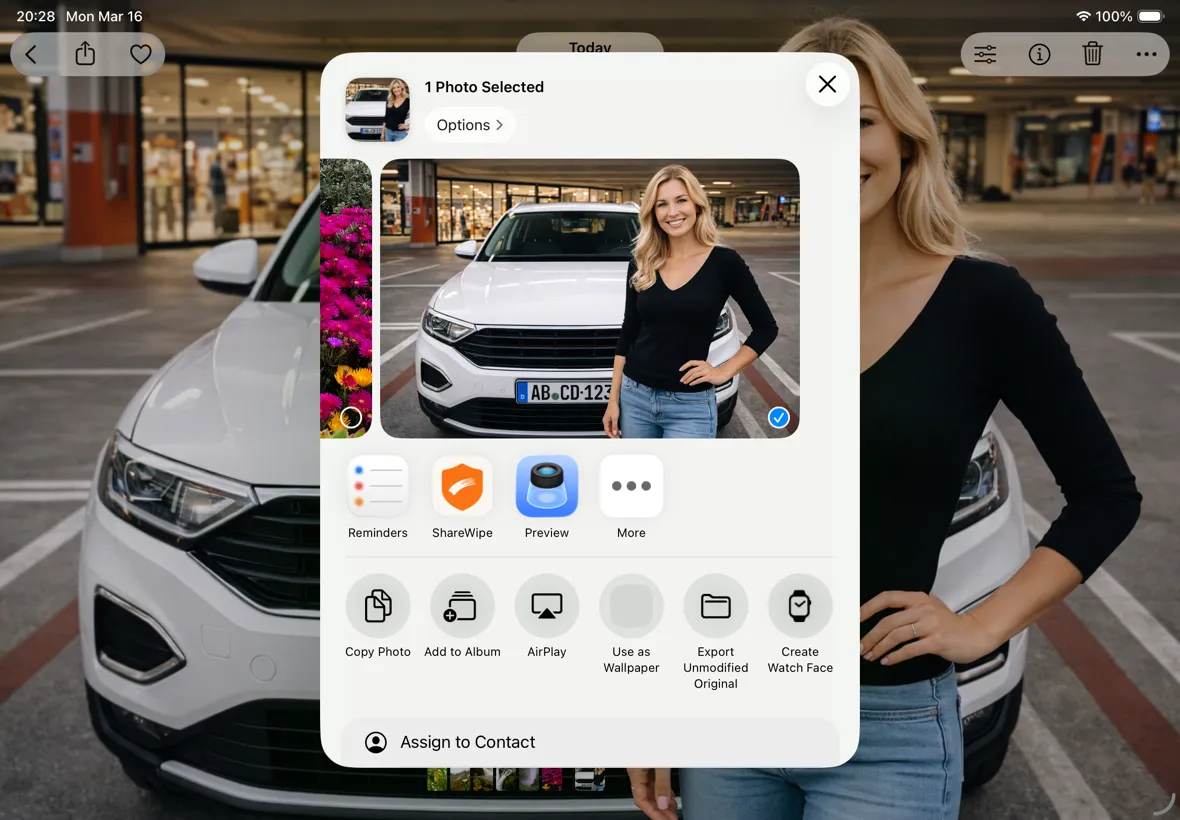
Open from Photos, Files, or the iOS Share Sheet.
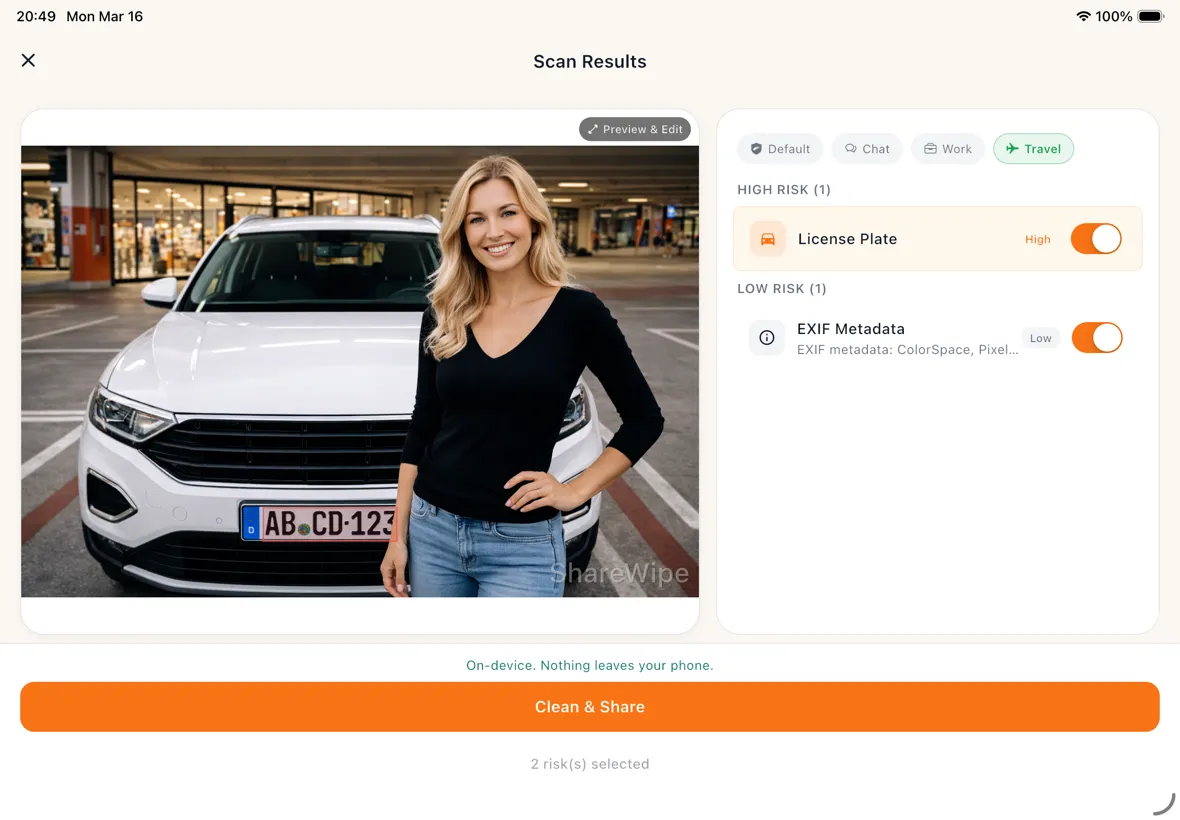
ShareWipe scans on-device and flags what may need attention.
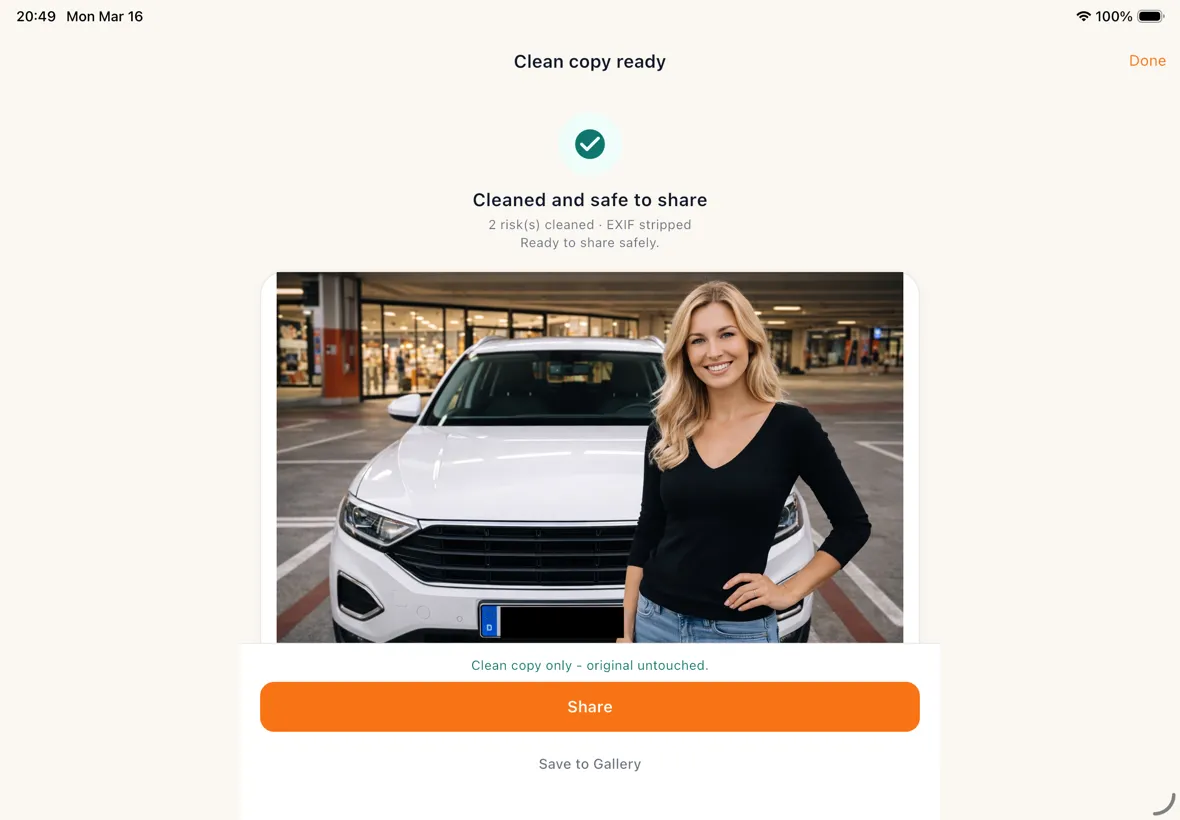
Export a new share-ready copy, image or PDF. Your original stays unchanged.
Whether you're sending chat screenshots, work documents, or family photos, ShareWipe adds one more privacy check before sharing.
Sharing screenshots, photos, and assets without leaking personal info.
Clean avatars, phone numbers, addresses, bystanders, and location details before publishing.
Frequently sending screenshots, proposals, documents, and deliverables to clients.
Keep the content you need, remove account numbers, emails, phone numbers, internal notes, and sensitive fields.
Forwarding orders, chat logs, admin pages, and work screenshots every day.
Reduce the risk of accidentally sharing user info, contact details, addresses, and internal data.
Sharing everyday photos, chat screenshots, and life updates without oversharing.
Clean faces, license plates, addresses, and photo locations before sending to friends, groups, or social media.
Always forwarding chat logs to friends, colleagues, or group chats.
Chat screenshots easily expose avatars, nicknames, phone numbers, and QR codes — ShareWipe checks them for you first.
Frequently sharing coursework, grade screenshots, and study materials without leaking personal info.
Clean names, student IDs, and contact details from course screenshots, transcripts, or study notes before sharing.
Redact chat screenshots before sharing by hiding names, avatars, phone numbers, QR codes, and message text.
Redact screenshots, scanned pages, and PDFs before sending work documents to clients, teammates, or partners.
Hide names, addresses, phone numbers, and tracking details in order screenshots before forwarding or posting.
Blur faces and license plates, and remove GPS metadata from travel photos before posting online.
Scan contracts and forms to PDF, redact personal details, and export a cleaner PDF before sharing.
Blur selected faces in group and event photos before posting to social media or sharing in chat groups.
Start for free. Upgrade when you need more power
Get started, no commitment
Full privacy toolkit, unlimited
No credit card required for free download · Cancel anytime
Things you may want to confirm before getting started
ShareWipe is a privacy-cleaning tool for before you share. It detects sensitive content in screenshots, photos, and PDFs, lets you review each item, and exports a safe copy — all on device.
Normal markup tools only let you cover things manually. ShareWipe detects faces, QR codes, text, addresses, and more, lets you control each item, and works directly from the iOS share sheet.
By default, everything is processed on your device. Scanning, detection, and cleaning do not upload your content to the cloud.
Not always. You can launch ShareWipe directly from the iOS share sheet and clean content before sending it.
Faces, QR codes, text regions, email addresses, phone numbers, credit card numbers, license plates, address details, and EXIF/GPS metadata.
Yes.
ShareWipe lets you:
This means you don’t have to “redact everything at once.” Instead, you can make precise decisions about what to clean and what to keep.
Download ShareWipe and add one more layer of privacy before sending screenshots, photos, and documents.